
The output is visible. The effort behind it isn't.
At work, people are judged on what shows. The report filed, the meeting handled, the deadline met. For many neurodivergent employees, those outcomes sit on top of a large, invisible amount of effort, and the right tool can take some of that weight off.
The same picture, at work
What's visible, and what it costs
The outcomes colleagues see are the tip. Switch the view to see the effort underneath that made them possible.
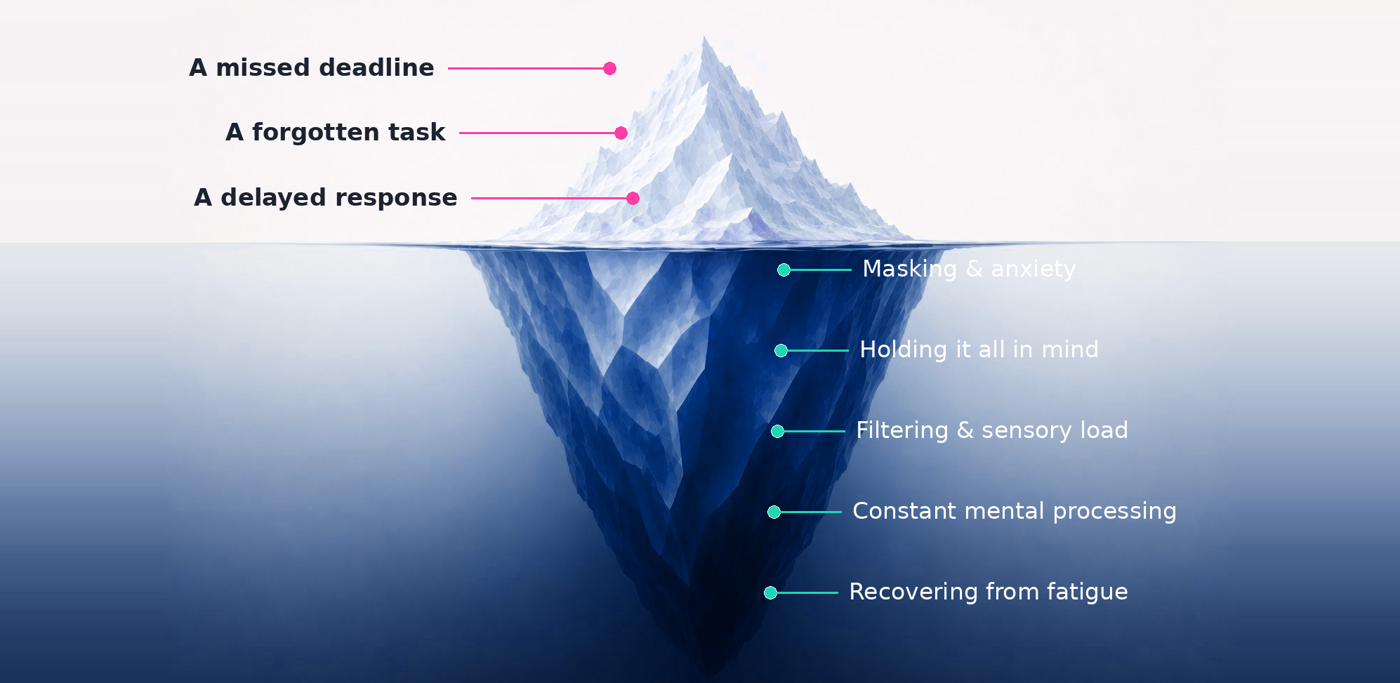
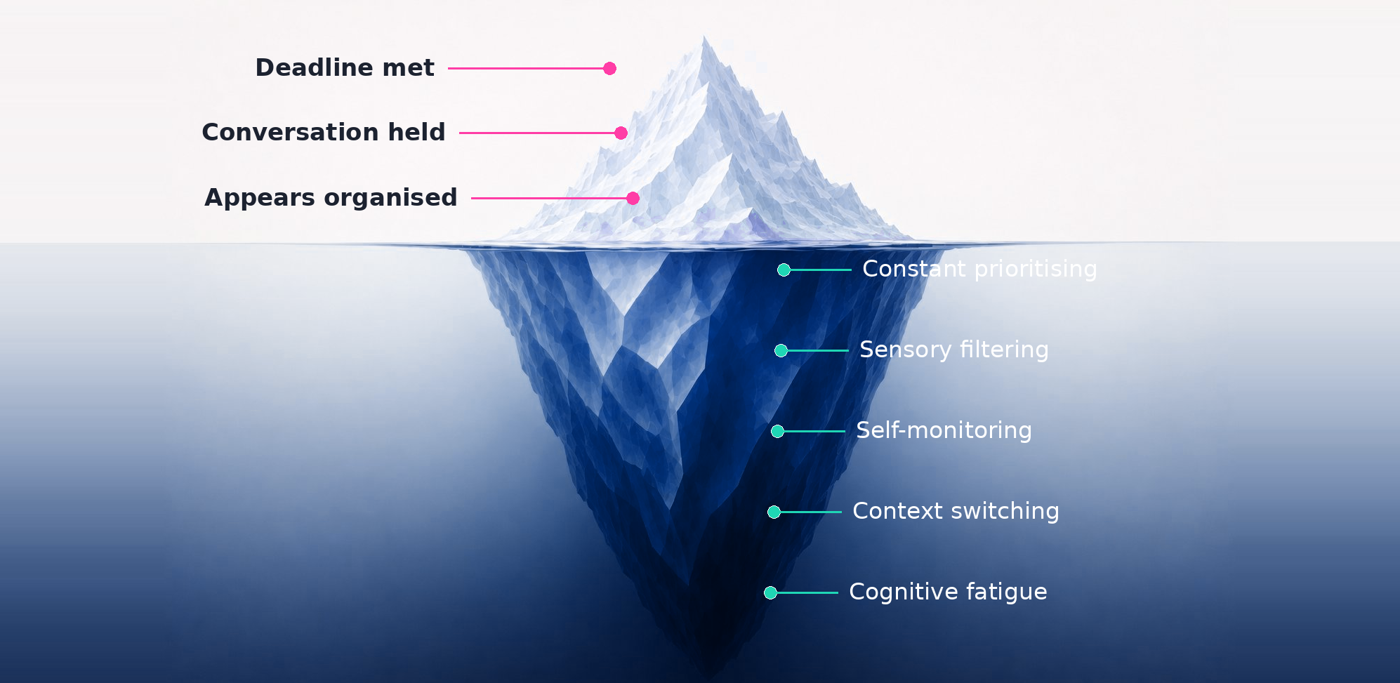
Both readings are true at once. The achievement is real, and so is the effort it took. Recognising both is the respectful thing, and the unseen part is exactly where a visual tool can take some of the load off.
Where MindGenius comes in
Get it out of your head, and the load comes down
You can't will the hidden work away. But you can move some of it out of your head and onto a map, where it can be seen, held and managed instead of carried.
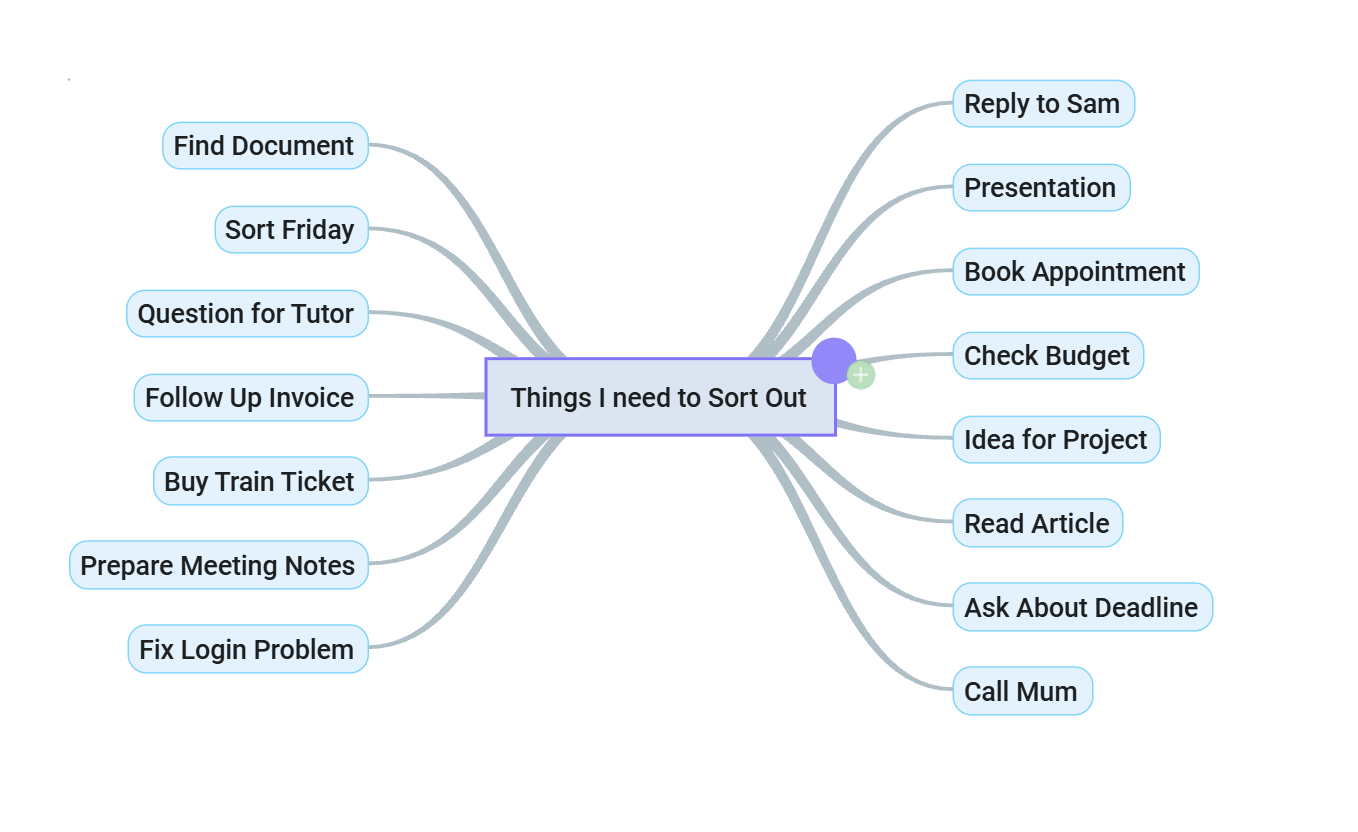
Off the page, onto the screen
Capturing thoughts as a visual map means you're not holding the whole structure in working memory at once. The map holds it for you, so attention can go to the thinking itself.
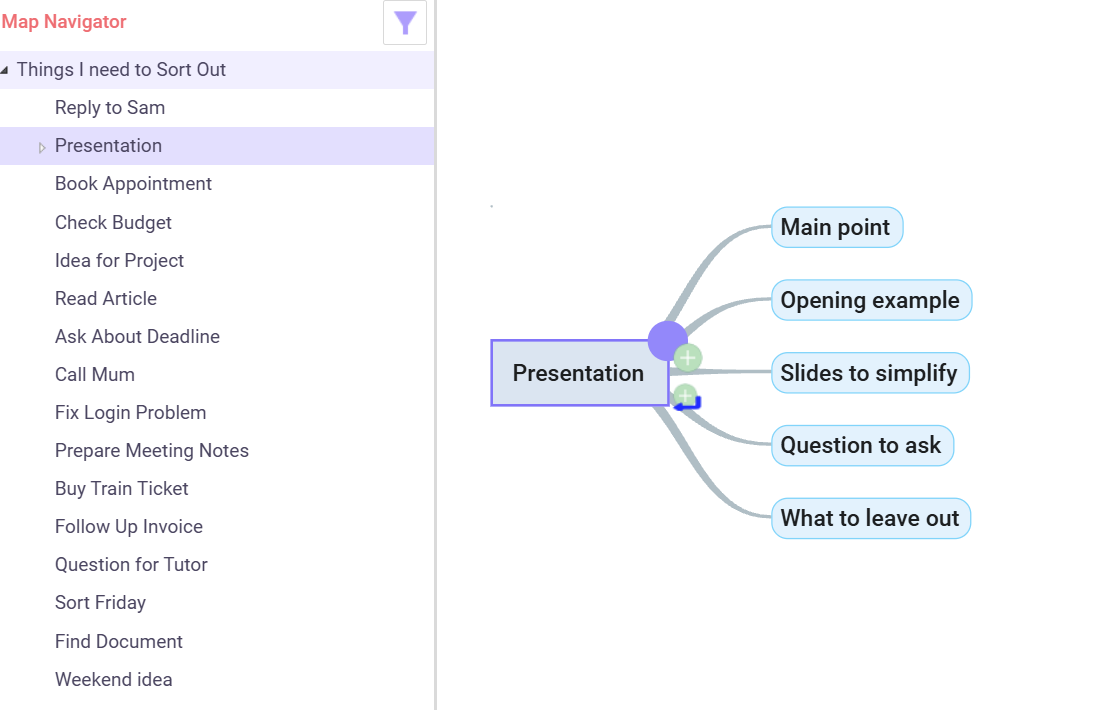
One part at a time
Take one thing on its own and work out what it needs, without the rest competing for attention. Branch Focus hides everything except the part in hand, and the Map Navigator lets you jump straight to any section of a large map. Both are in MindGenius 20 and Online, so a big topic never becomes one overwhelming wall.
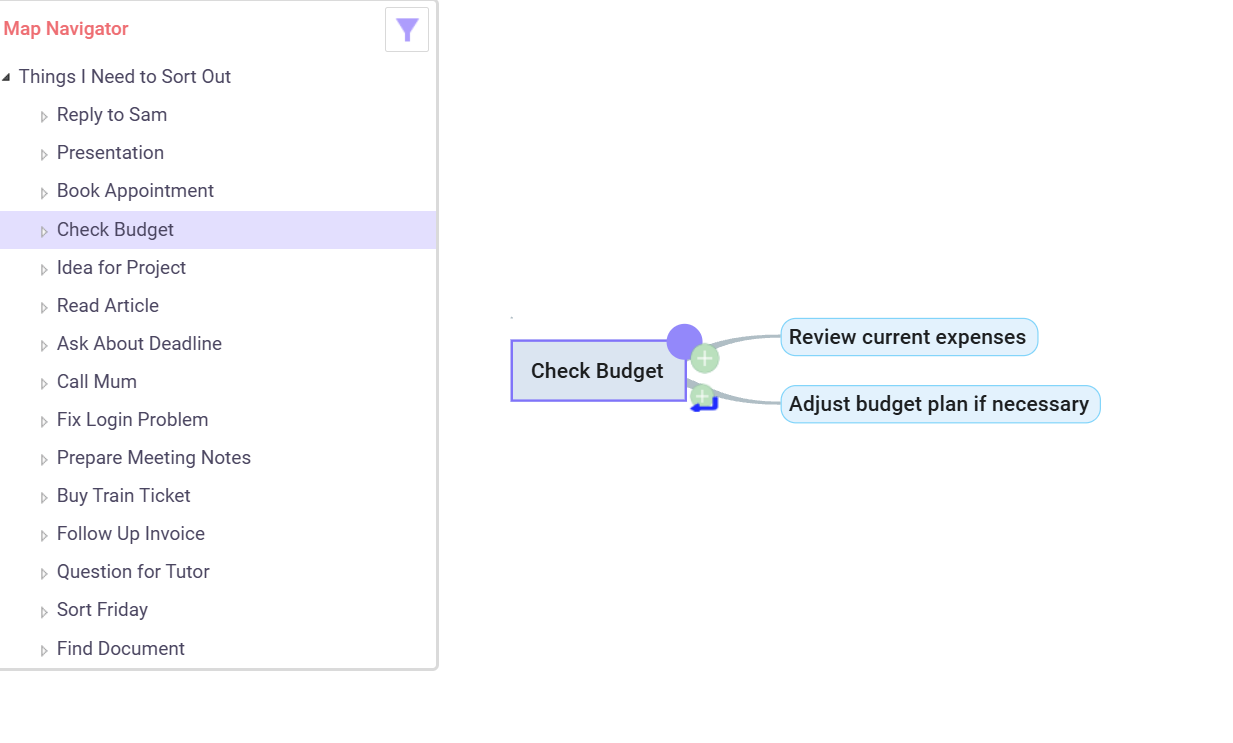
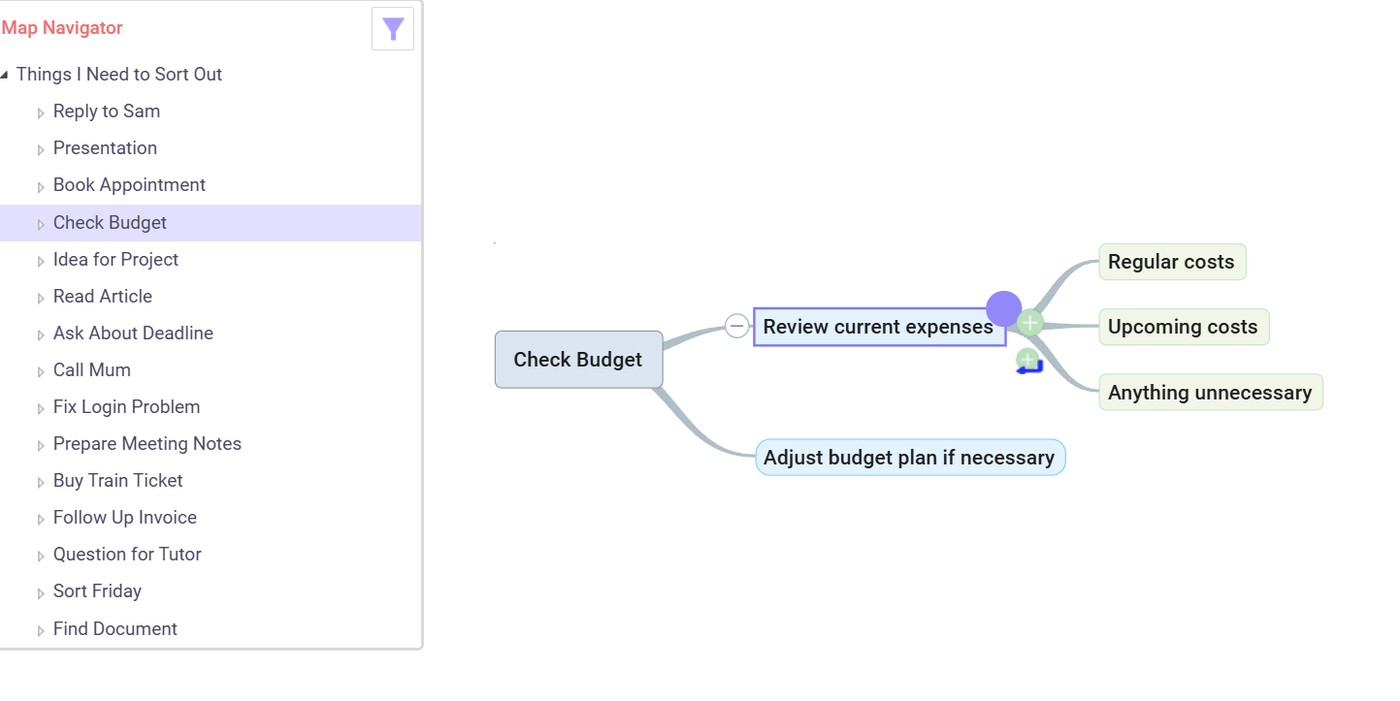
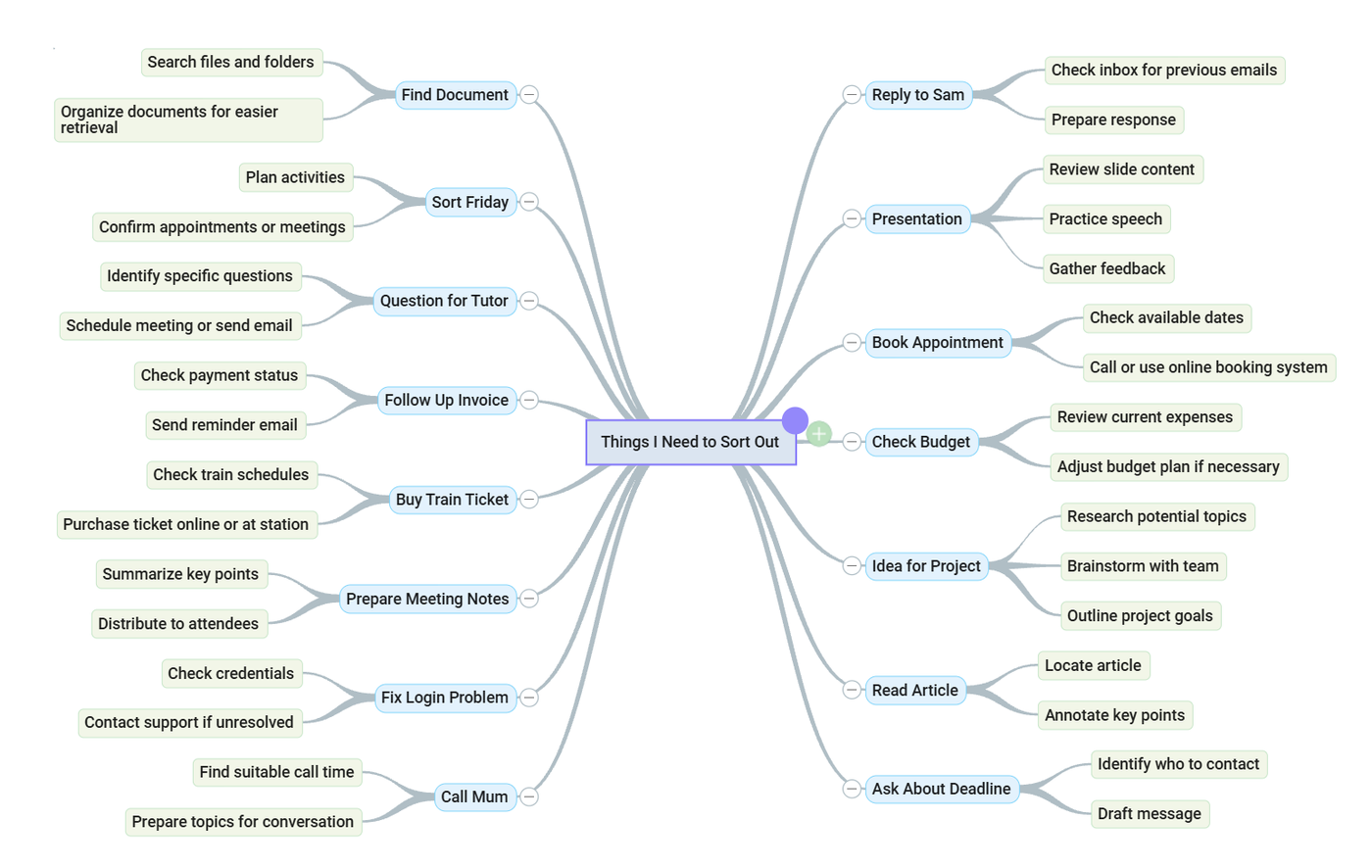
Come back and keep going
Pick up the next branch, work out what it needs, then move on. Over time the loose capture becomes a developed map of the things you need, want or mean to progress. Some branches grow more than others, because each one needs different thinking.
You do not have to sort everything at once. Just keep taking the next branch.
Approved by the British Dyslexia Association
Mind mapping uses shapes, colours and a graphical outline structure that are especially helpful for people with dyslexia and other learning differences, enough that our products earned the approval of the British Dyslexia Association, and a place in the assistive-technologies community. MindGenius Online is built to WCAG and Section 508 accessibility standards, the benchmarks procurement teams and assessors look for.
An estimated one in ten people has a form of dyslexia. Long treated as a disability, with the right support it can instead be a positive trait, one that enhances intelligence, imagination, curiosity and intuition.
Visit the British Dyslexia Association ↗"Mind mapping is a technique that can benefit anybody, giving a simple way to view and structure complex information. It can be particularly helpful for people who don't think in a linear way, who struggle with multitasking, or who find it difficult to plan projects or structure written work."
Pete Smart
Assessor & Technology Officer, Aim Assessments
Structured Thinking Software
Tools that carry it through
It isn't only the map. Both MindGenius products, MindGenius 20 on Windows and MindGenius Online, hosted and managed, add tools for creating, organising, planning and communicating, so a good start doesn't stall when it's time to act on it. For Mac users, Online means the same support is there, with nothing to install.
Access to Work
Funded support, for the people who do the work
Access to Work is a UK government scheme that can fund assistive software and equipment for employees with a disability or health condition, including neurodivergent staff. MindGenius is the kind of tool it's designed to cover.
Get the tools that help you deliver ↗
If you're neurodivergent and in work, Access to Work can fund software that supports how you think and plan. You apply directly; it isn't taken from your employer's budget.
About Access to Work →Support staff without the cost ↗
Backing a neurodivergent colleague's Access to Work application is low-effort and high-return: the scheme funds the tools, and the work gets easier to sustain.
How employers help →Neurodiversity in study
If you're a student rather than an employee, Disabled Students' Allowance is the route, and the same MindGenius support applies.
See the study route →MindGenius doesn't administer Access to Work; eligibility and awards are decided by the scheme. We're happy to help your assessor understand what MindGenius does.
Try it on something on your desk right now
Map a report you've been circling, a project that won't stay still in your head, or a week that's got away from you, and see whether getting it onto the page lightens the load.
Free 14 day trial. Works offline. No card required.
Windows desktop is MindGenius 20. Working on a Mac? MindGenius Online, nothing to install →