
Think it through before you commit to doing it.
MindGenius is Structured Thinking Software, for the thinking before the work begins. It brings together mind mapping, visual project planning and optional AI to help you define the problem, expose the assumptions and risks, find what you are missing and agree what success looks like, before any of it turns into work.
Five stages take you from a blank page to a plan everyone has actually agreed to. Run them on your own machine, or in a hosted workspace you can reach from anywhere. Same software either way.
You have just been handed something that matters.
A project. A change. A launch. Something with other people's time and other people's expectations attached to it, and the outcome is now yours to answer for.
Within a day or two the same doubt arrives. Not whether you can do the work, but whether you have covered what matters. The options nobody has weighed. The assumption everyone is quietly making. The dependency that only shows up in week six.
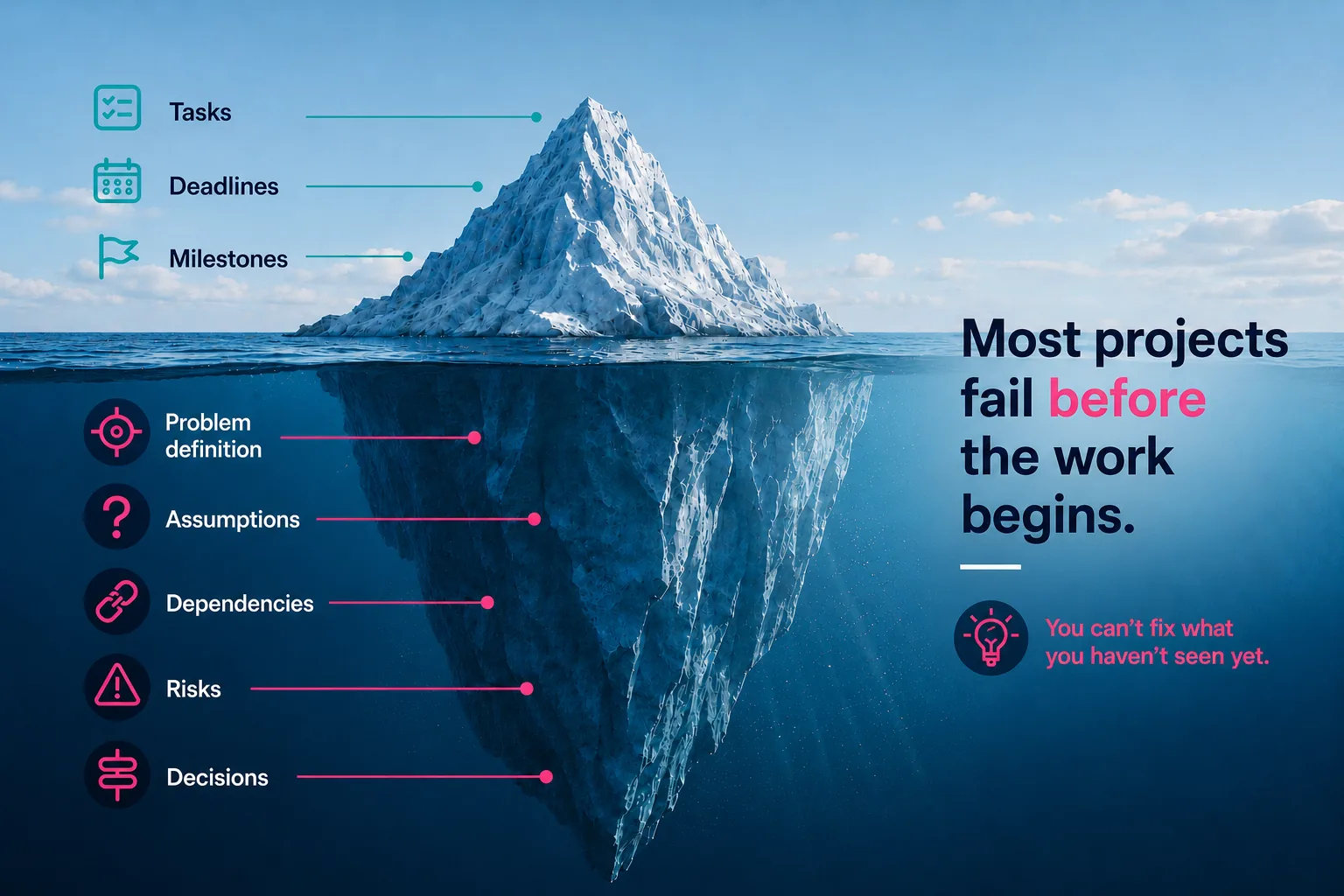
Most projects fail before the work begins. Not because people execute badly, but because the thinking that set the direction was never made visible enough to challenge.
What you can see is the work: tasks, deadlines and milestones. What decides whether it is the right work sits underneath, often scattered across conversations, documents and people's heads.
MindGenius brings that thinking into view while there is still time to challenge it: the problem, assumptions, dependencies, risks and decisions.
You can't fix what you haven't seen yet.
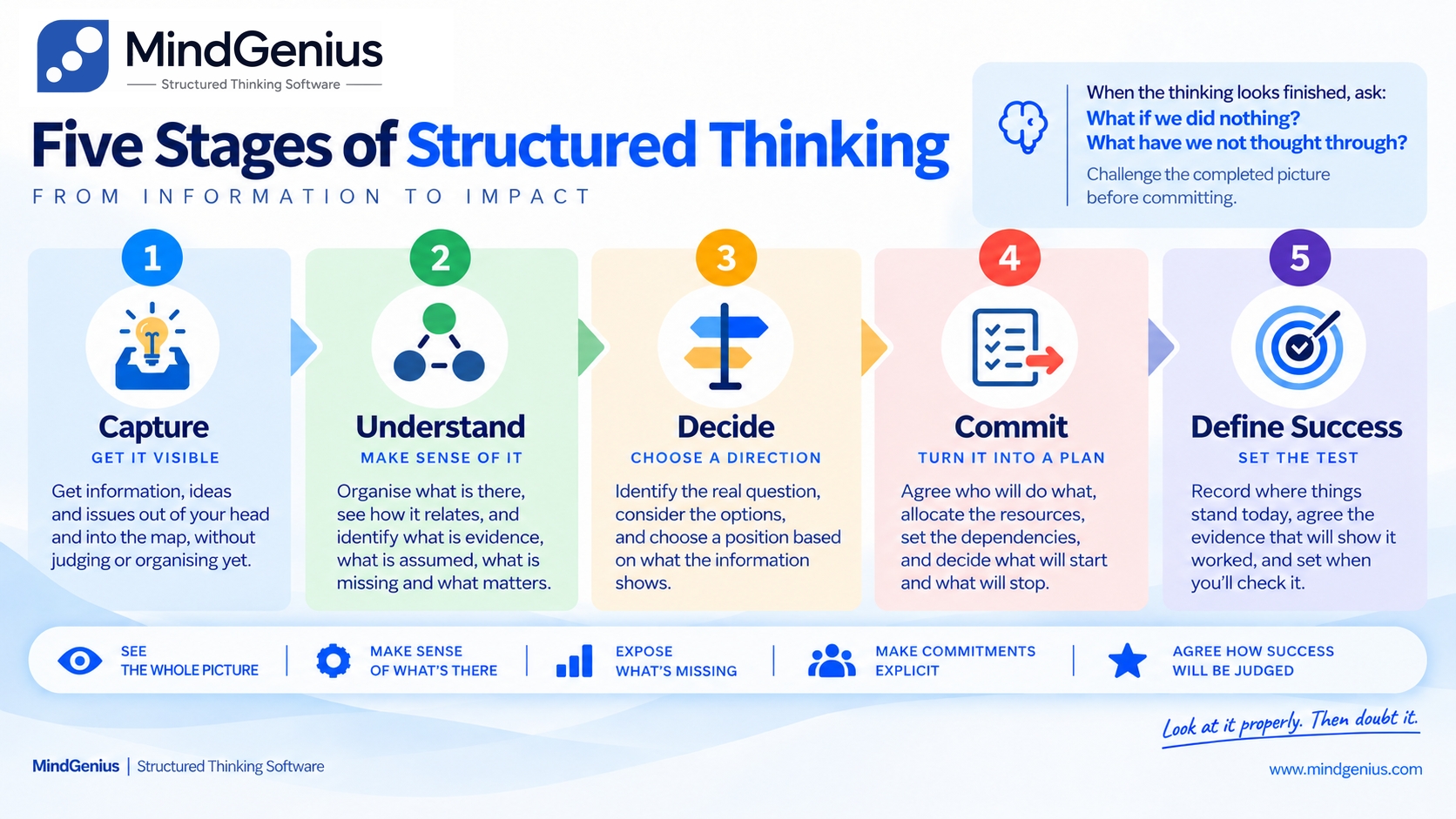
The Five Stages of Structured Thinking.
Not a methodology you adopt. It is simply how the software works: five recurring questions you return to as your understanding grows, taking you from a blank page to an agreed definition of success.
Capture
Get it out of your head and onto the canvas.
Understand
Structure the material until patterns, relationships and gaps show what matters.
Decide
Consider the alternatives, improve the choice, then choose a direction.
Commit
Agree the outcome, ownership, resources, dependencies and trade-offs.
Define Success
Record the baseline, agree the evidence and when it will be reviewed.
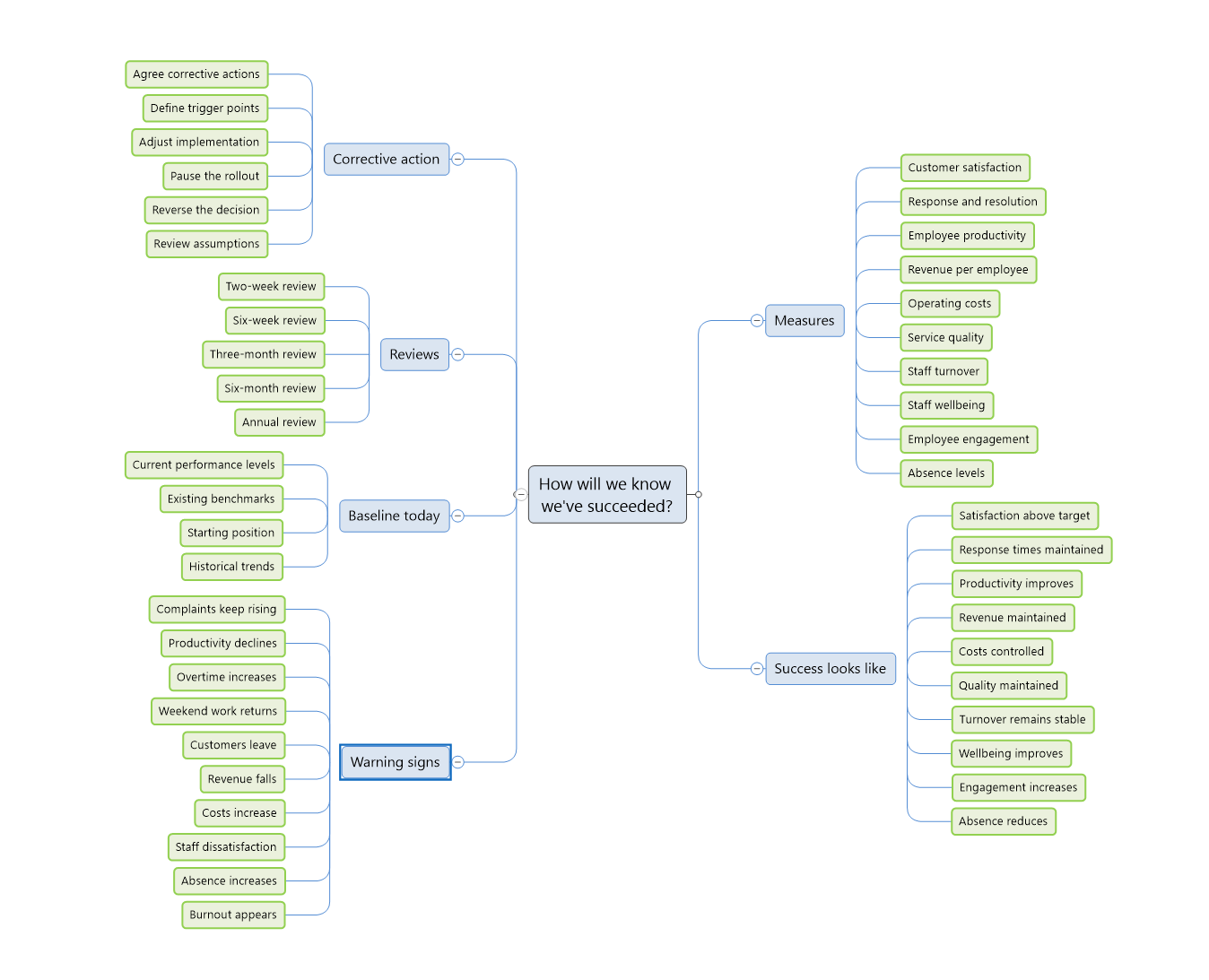
The stages happen on one canvas. Everything stays in view, so the question nobody has answered yet is impossible to miss. Work this one through
The five stages work the same way whichever way you run MindGenius. What changes is where your data lives, and how much you can see at once.
Know MindGenius as a mind mapper? Mind mapping and Structured Thinking: what’s the difference? →
Same software. Two ways to run it.
Not a cut-down version and a full version. The same five stages, the same maps, the same way of working. What differs is where your data lives, and how much you can see at once.
The same MindGenius, installed. Your files sit wherever you want them: the machine, the network, or your own OneDrive or Dropbox if you need them from more than one desk. And if your policy says the data does not go to the cloud, Desktop lets you honour that.
- Installed. Runs on your Windows machine, online or off.
- Your files, your choice. Local, on the network, or your own cloud storage.
- One project at a time. You open the project you are working on.
Free trial · No card required
The same MindGenius, hosted and managed on a full Microsoft Azure stack. Every project sits in one place, so you can see where each one stands without opening them one by one. When others are involved, everyone works from the same thinking, at the same time.
- Hosted and managed. Accessed through a web browser on supported devices, including Windows PCs and Macs.
- Shared thinking, not shared files. Updated once and true everywhere.
- Every project at once. Consolidated views across the whole portfolio.
Free 14 day trial · No card required
Neither one is the cut-down version. The software is the same; where your data lives and how much you can see at once are not.
Thinking doesn't disappear when execution starts.
Projects drift because decisions become disconnected from the work. Task tools manage the work. From project planning through to delivery, MindGenius keeps the assumptions, decisions, risks and understanding behind it connected while the work is being delivered.
Traditional tools manage tasks. MindGenius protects understanding.
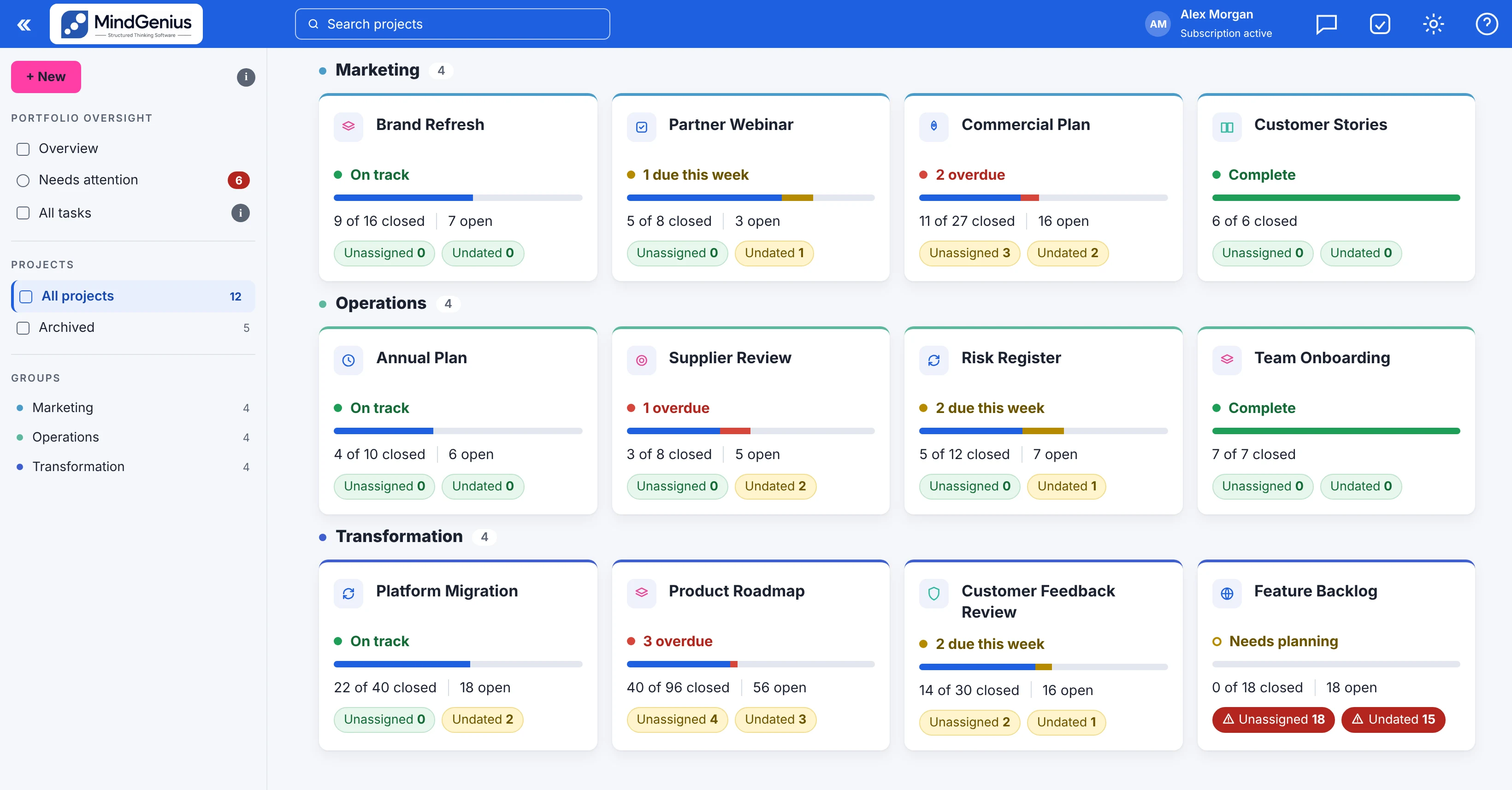
The map doesn't disappear when delivery begins. It becomes the shared understanding the work is run from. On Online, that carries up into one consolidated view of every project you are responsible for. On Desktop the same thinking is there, one project at a time.
Update it once anywhere, and it's true everywhere.
AI helps you think. You decide.
AI is optional. Structured thinking isn't. MindGenius uses AI to generate initial mind maps, tailored thinking frameworks and inspiration for individual branches. You examine, develop and decide what to do with the suggestions.
In MindGenius 20, the Desktop build without AI, the functionality is absent: not greyed out, not a switch in a menu, simply not present. Nothing to enable, nothing to send, nothing to audit. In MindGenius Online, your administrator decides whether AI is available.
Better projects don't begin with better task lists. They begin with better thinking.
Choose where your data lives, and how much of the work you need to see at once. MindGenius works the same way either way.
Desktop: free trial, no card required. Online: free 14 day trial, nothing to install.