
Year-End Accounts Review
Every business goes through a year-end accounts review, whether your accountant runs it or you sit on the client side of it. This template is the full agenda, the accounts, the year's wins and concerns, the conclusion to record and the tax position, and it goes one step further than a checklist. The things to act on come out of the review as tracked tasks with an owner and a date, so the areas needing attention do not disappear into a filed note. Open next year's review on the same map and last year's actions are already there.
Desktop downloads a file you open in MindGenius. Online opens the framework so you can look at it first, then add it to your portfolio.
No MindGenius yet? Download Desktop or start an Online trial.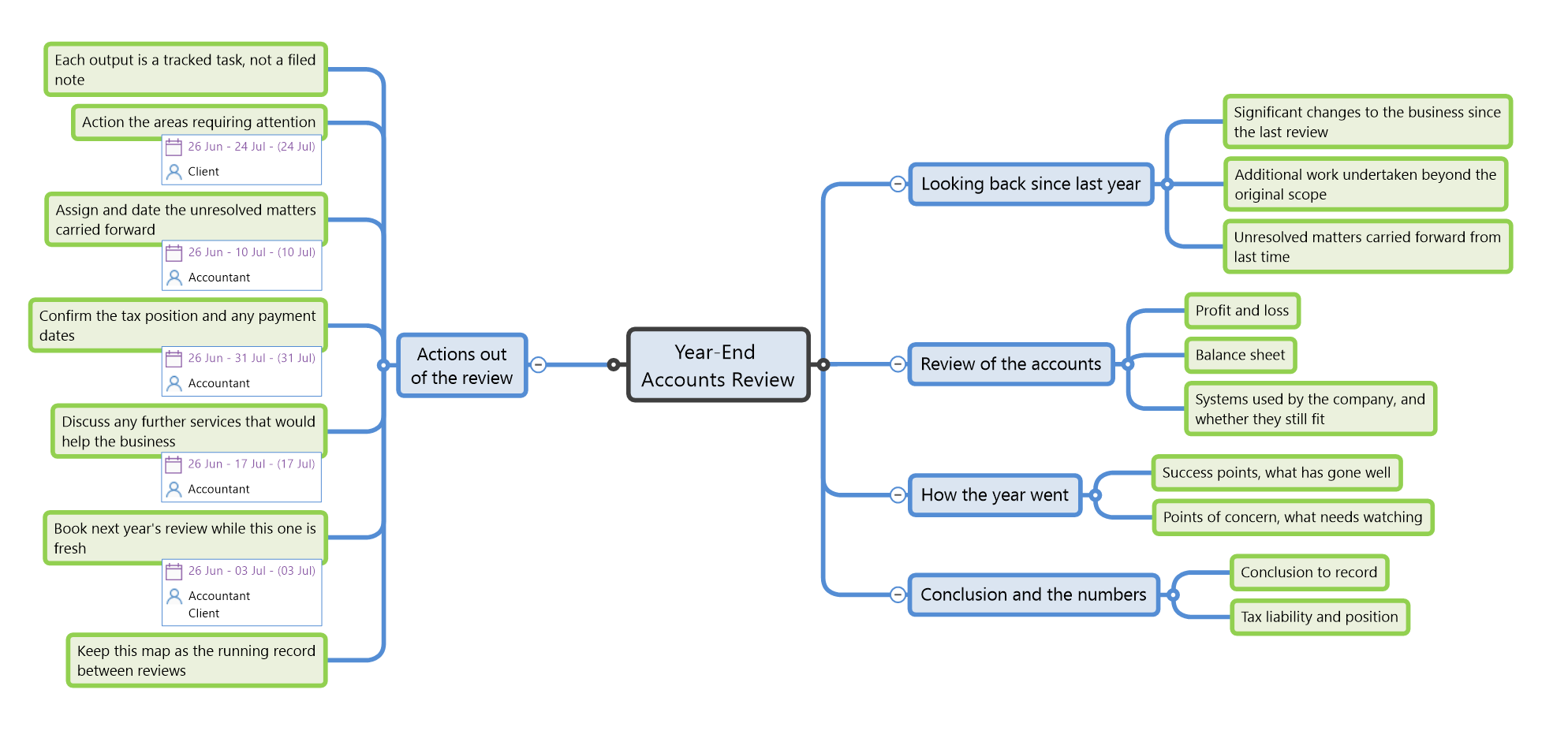
What's in the template
Five branches cover the full agenda, the review itself and the actions that come out of it. The items marked with an owner are real MindGenius tasks carrying a person and a date. Keep them, edit them, or delete them in a keystroke.
Looking back since last year
- Significant changes to the business since the last review
- Additional work undertaken beyond the original scope
- Unresolved matters carried forward from last time
Review of the accounts
- Profit and loss
- Balance sheet
- Systems used by the company, and whether they still fit
How the year went
- Success points, what has gone well
- Points of concern, what needs watching
Conclusion and the numbers
- Conclusion to record
- Tax liability and position
Actions out of the review
- Action the areas requiring attentionClient
- Assign and date the unresolved matters carried forwardAccountant
- Confirm the tax position and any payment datesAccountant
- Discuss any further services that would help the businessAccountant
- Book next year's review while this one is freshAccountant + Client
- Keep this map as the running record between reviews
Next year's review starts where this one left off
The value of an accounts review is in what gets acted on afterwards, and that is exactly the part a paper agenda loses. Here the areas needing attention, the unresolved matters and the tax actions carry owners and dates, sync to Outlook, and you track them on the same map through the year. Open next year's review and last year's actions are already in front of you, closed or carried forward, so nothing quietly slips between one year-end and the next.