
Framework · Project Management
Weekly Project Status
Most status reports describe what happened last week. This one focuses on what happens next. Capture what is done, what is slipping, what needs discussed and who owns the next action, all on one map. Nothing should surprise you on Friday.
↓ Download for Desktop
→ Open in Online
Desktop downloads a file you open in MindGenius. Online opens the framework so you can look at it first, then add it to your portfolio.
No MindGenius yet? Download Desktop or start an Online trial.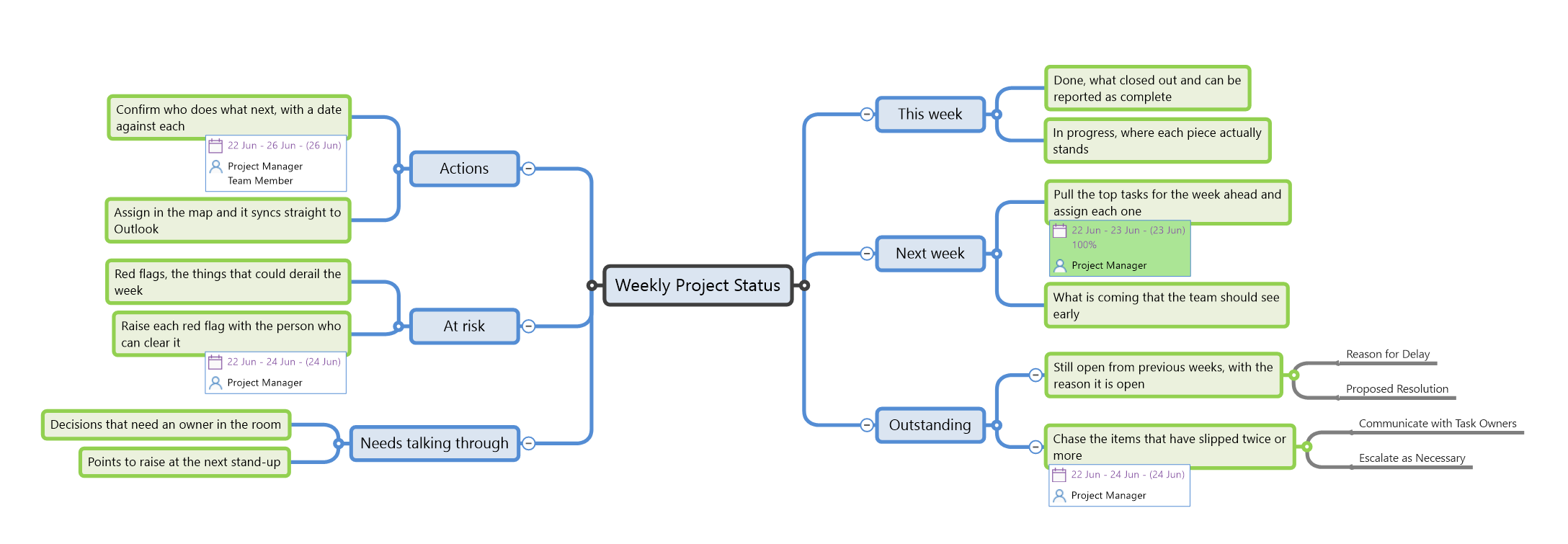
The template as it opens in MindGenius.
Surface problems while there is still time to act
The status you report stays as plain topics. The things you act on are set up as live tasks, with an owner and a date. The point is simple: nothing here should surprise you on Friday.
This week
- Done, what closed out and can be reported as complete
- In progress, where each piece actually stands
Next week
- Pull the top tasks for the week ahead and assign each oneProject Manager
- What is coming that the team should see early
Outstanding
- Still open from previous weeks, with the reason it is open
- Chase the items that have slipped twice or moreProject Manager
- Communicate with task owners
- Escalate as necessary
Needs talking through
- Decisions that need an owner in the room
- Points to raise at the next stand-up
At risk
- Red flags, the things that could derail the week
- Raise each red flag with the person who can clear itProject Manager
Actions
- Confirm who does what next, with a date against eachProject ManagerTeam Member
- Assign in the map and it syncs straight to Outlook
Four items in this map are live tasks. Each carries an owner and a date, and syncs to Outlook, so the week's work lands in someone's day rather than sitting in a status document no one acts on.
Ready to start?
Download the map and adapt it to your own work.